Hardware Wallets in 2026: The Honest Buyer's Guide (Tested Devices, Real Risks, Real Numbers)

By Danny Allan
Founder & lead analyst, CryptoWatchdog · former Complaints Manager at Crypto.com
21 April 2026· Updated 18 June 2026
Keep a meaningful amount of crypto on an exchange or in a browser extension and you're carrying a risk you've probably never sat down and priced. Most people haven't. The numbers are a good place to start, because they're blunter than any sales pitch.
Chainalysis's 2025 Crypto Crime Report puts illicit crypto activity at an estimated $40.9 billion in 2024, with stolen funds up roughly 21% year on year. The detail that should give you pause is the shift behind that figure: more of the theft is now aimed at individual wallet holders, not the big exchanges.
The FBI's IC3 2024 report logged $9.3 billion in crypto-related fraud losses reported in the United States alone. That's a 66% jump on the year before, and it only counts the losses that got reported. The real figure is higher. It always is.
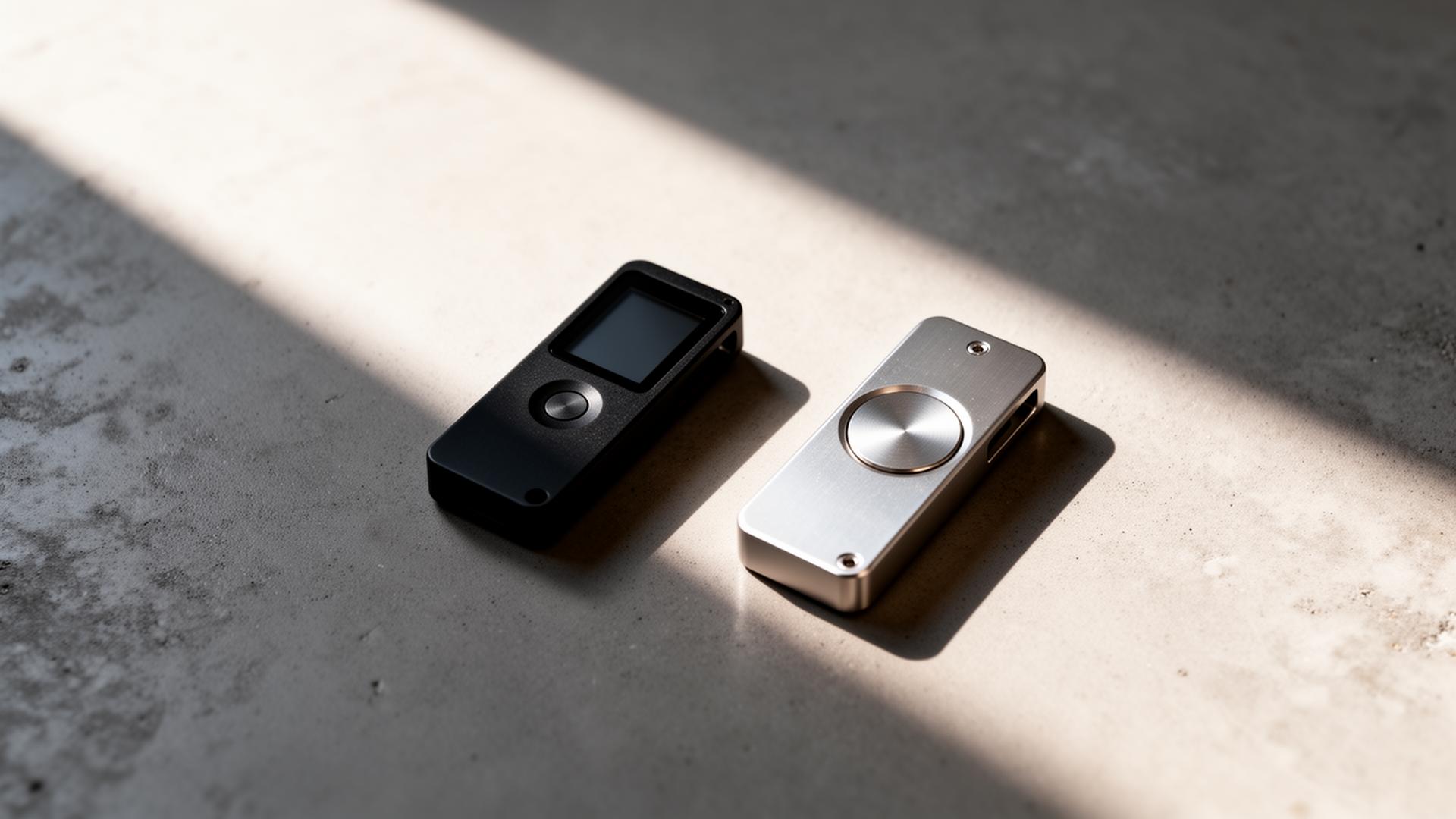
A hardware wallet is the single most effective defence against most of that. It's also the least exciting thing you'll ever buy with crypto money, which is, we suspect, exactly why so many people keep putting it off. This hardware wallet buyers guide is here to fix that. We'll walk through what these devices genuinely do, who actually needs one, the trade-offs worth weighing, the mistakes that catch people out, and how the leading 2026 models stack up on the things that actually matter.
If you're still deciding whether self-custody is even for you, our explainer on self-custody vs custodial wallets is a sensible read before you go further. No point buying a device for a job you haven't decided you want to do.
What a hardware wallet actually does
Strip away the marketing and a hardware wallet does two things. Both are narrower than most people assume, and that's the part worth understanding before you spend a penny.
- It generates and stores your private keys inside a chip that never touches the internet.
- It signs transactions inside that chip, so the keys never reach your phone or computer — only the finished, signed transaction does.
That's the whole product. The screen, the buttons, the companion app, the little recovery sheet in the box: all of it exists to support those two jobs and nothing else. And here's a point people consistently get wrong — your coins don't live on the device at all. They live on the blockchain. The wallet just guards the keys that can move them. Lose the device and your coins are fine, provided you've still got the seed. We'll come back to that, because it matters more than the hardware itself.
So what doesn't it do? A hardware wallet won't stop you sending funds to the wrong address. It won't second-guess a bad decision you've made deliberately. And it absolutely will not save you if you type your seed phrase into a website because a "support agent" asked nicely. We see that exact mistake again and again in the cases we catalogue in our scam guides. The device is honest hardware. It can't undo a decision you made with your own fingers.
The threat model: what you're actually defending against
The threats facing an ordinary crypto holder aren't the cinematic ones. Nobody's flying a drone over your house to crack your seed. The real risks are quieter and far more common, and they fall into a handful of rough buckets. A hardware wallet helps with each one to a different degree, and being honest about that range is the whole point of this section.
| Threat | Frequency | Hardware wallet helps? |
|---|---|---|
| Browser-extension wallet drained by malicious dApp signature | Very high | Yes — the device shows you the real transaction |
| Seed phrase phished via fake support / Discord DM | High | Partially — only if you never type the seed |
| Exchange insolvency or freeze (FTX, Celsius, BlockFi) | Medium | Yes — your funds aren't on the exchange |
| Physical theft of the device | Low | Yes — PIN + passphrase protects funds |
| Targeted "wrench attack" (in-person coercion) | Very low | Partially — passphrase / decoy wallets help |
| Supply-chain tampering (used / grey-market device) | Low but rising | Only if you buy from the manufacturer direct |
The first row is the one to commit to memory. Most retail crypto losses in 2024 weren't exchange hacks at all. They were ordinary people clicking "Approve" on a malicious signature in MetaMask or a similar hot wallet, frequently without reading a word of what they were approving. One tap, and the wallet drains.
This is where a hardware wallet earns its place. It breaks that habit by force. Before you can approve anything, it makes you read the transaction on a separate, isolated screen that the website can't fake. That single moment of friction is what stops the bulk of these attacks. Not because the chip is doing anything mystical, but because it slows you down at precisely the point where speed is what costs people everything. The pause is the product.
Who actually needs one
Based on the holders we audit for and the community submissions that land in our inbox, here's a rule of thumb worth keeping. Treat these figures as guidance rather than gospel. Your own risk tolerance is part of the equation too, and only you can set that dial.
- Under £500 in crypto. You're probably fine on a reputable exchange or a well-chosen software wallet, provided you've got 2FA running through an authenticator app — not SMS, which is a known weak point — and you genuinely understand what you're signing. A hardware wallet here isn't wrong, just not yet essential.
- £500 to £5,000. This is where a hardware wallet starts to earn its keep. It pays for itself the first time it stops you approving one bad phishing signature, and at this balance that one save covers the cost many times over.
- Over £5,000. You should already own one. Two, ideally — one for day-to-day use and a cold-storage device that almost never connects to anything. If that sounds like overkill, it's cheaper than the alternative.
- Over £50,000. Look seriously at a multi-sig setup using two or three hardware wallets from different manufacturers. A single point of failure isn't appropriate at this size, and we'd be doing you a disservice to pretend otherwise. More on multi-sig further down.
The 2026 hardware wallet landscape
There are roughly five serious players in the market right now. Plenty of other devices exist, but these are the ones we'd be comfortable putting our name next to. The table below sums up what each does best. Our full long-form audits live on the individual review pages if you want the detail behind the summary.
| Device | Best for | Secure element | Open-source firmware | Supported coins | Price (RRP) |
|---|---|---|---|---|---|
| Ledger Nano X | Everyday holders | EAL5+ certified ST33 chip | Partial (apps open, OS closed) | 5,500+ | £149 |
| Trezor Safe 5 | Open-source purists | EAL6+ Optiga Trust M | Fully open-source | 1,800+ | £159 |
| Coldcard Mk4 | Bitcoin-only maximalists | Dual secure elements | Fully open-source | Bitcoin only | £165 |
| Keystone 3 Pro | Air-gapped users | EAL5+, three secure elements | Fully open-source | 5,500+ | £149 |
| BitBox02 | Privacy-focused | ATECC608B + dual chip | Fully open-source | 1,500+ | £129 |
Two things are worth clarifying before you read too much into that table, because both get oversold elsewhere.
First, open-source firmware matters because it lets the wider security community read and audit the code that's running on the device. Closed firmware isn't automatically less safe — Ledger's certifications are real and independently issued, and we won't pretend otherwise to score a point. But with a closed system you're placing your trust in the vendor rather than in public scrutiny. Some people are entirely comfortable with that. Some aren't. It's a genuine preference, and anyone telling you there's one obvious right answer is selling something.
Second, supported coin counts matter far less than most buyers assume. Around 95% of holders only ever touch Bitcoin, Ethereum, a few major Layer 1s and some stablecoins. The headline "5,500-plus tokens" is mostly marketing for the long tail. If you hold something genuinely obscure, check support before you buy — but don't choose a device on that number alone, because for almost everyone it's noise.
If you'll be signing approvals from DeFi protocols with one of these, read our DeFi protocol risk explainer first. The hardware protects your keys. It doesn't vet the contract you're approving, and that gap is where a lot of people still come unstuck.
How to evaluate any hardware wallet: the seven questions
Whatever device you're weighing up — including the five above, or something newer that launches after we publish this — run it past these seven checks. They line up with the framework we use in our own 8-point audit methodology, trimmed to the questions that matter most when you're spending your own money.
- Where does the secure element come from, and is it certified? Look for EAL5+ or EAL6+ Common Criteria certification. Anything below that is a generic microcontroller dressed up as a vault, and we wouldn't trust it with serious sums.
- Is the firmware reproducible and audited? "Open-source" on its own isn't enough. You want firmware that's been independently audited and where the builds are reproducible, so the code you can read is provably the code that's actually running on the chip. Marketing copy loves the word "open"; ask for the audit.
- Does the device show the full transaction details on its own screen? This is the entire reason to own one. A device that displays only a hash or a partial address hands you a false sense of safety, which is arguably worse than no device at all, because it makes you confident while you're still exposed.
- What's the seed-recovery scheme? Standard BIP-39 (12 or 24 words) is supported everywhere and keeps your options open. Proprietary schemes — Ledger Recover, Shamir-style splits and the like — come with trade-offs you need to understand before you opt in, not after the funds are committed to them.
- Where are you buying it? Direct from the manufacturer, every single time. Amazon, eBay and grey-market resellers have a documented history of supply-chain tampering. The price difference is rarely more than £10, and that £10 is not the place to economise. We'll say it twice in this guide because it's the cheapest mistake to avoid and the most expensive one to make.
- Does the company have a track record on disclosure? A vulnerability will get found eventually — it always does — and what matters is how the vendor behaves when it happens. Trezor's public disclosure history is genuinely strong. Some smaller vendors have quietly buried issues instead. It's the same logic we apply to exchanges in our trust-score framework: how a company acts on a bad day tells you more than its marketing on a good one.
- Can you run it fully offline? Air-gapped operation over QR codes or microSD, with no USB or Bluetooth in the loop, is meaningfully more secure for cold storage. It's also more of a faff to use day to day, and a security setup you find annoying is a security setup you'll abandon. Pick the point on that trade-off you'll actually stick to.
The setup mistakes that quietly wipe people out
We see the same handful of errors over and over, in community submissions and in the reports we triage. None of them are clever or exotic. They're the boring ones, and that's exactly why they keep working — they're easy to make and easy to dismiss until the money's gone.
Saving the seed phrase in a notes app or a photo. The single most common mistake, by a distance. Cloud-synced notes are not storage; they're a copy sitting on someone else's servers. Compromise the phone and the seed goes with it. Write it on paper or, better, on a metal backup plate that survives a house fire. Then store it where you'd keep a passport.
Buying second-hand or from a marketplace. Kraken's Security Labs showed in 2024 how a tampered hardware wallet can be made indistinguishable from a sealed retail unit — same packaging, same seals, same first-boot experience, and a back door already baked in. Saving £10 in shipping is not worth that. Buy direct.
Reusing the same passphrase across devices. Your PIN, your passphrase (the optional 25th word) and your computer password should all be different, and none of them should be something that's ever sat in a password manager you've had compromised. Reuse is how one breach turns into three.
Treating the recovery sheet like a souvenir. That little card with 24 numbered blank lines is a cryptographic key written in plain English. People photograph it "just to back it up to iCloud" and undo the entire point of the device in a single tap. The card never touches a camera, a scanner, or the internet. Full stop. If that sounds strict, it's meant to.
Connecting to anything that asks for the seed. Your wallet vendor will never ask for your seed phrase. Neither will their support team. Neither will the companion app, ever, under any circumstance. Anyone who does is a thief — no exceptions, no special cases, no "but they had a verified badge". This one rule is the core of half the warnings in our scam guides, and internalising it would save more money than any device on the market.
Hot wallets, hardware wallets, multi-sig: layering the defences
Most people are better served by a tiered setup than by a single device trying to do everything at once. Think of it as deciding how much friction each pot of money deserves.
| Tier | Tool | Use case | Typical balance |
|---|---|---|---|
| 1 — Spending | Browser extension or mobile wallet | Daily DEX trades, dApp interaction | < 5% of holdings |
| 2 — Savings | Single hardware wallet | Long-term hold of major assets | 80%+ of holdings |
| 3 — Vault | Multi-sig with 2-of-3 hardware wallets across two locations | Generational / company treasury | 10–15% of holdings |
The thinking borrows straight from how sensible people handle ordinary money. The cash you could lose without it changing your life sits on the tool that's most exposed. The money you can't afford to lose sits somewhere that needs deliberate, multi-step access before anyone — including you on a bad day — can touch it. The friction is the feature.
This won't make every risk disappear, and we won't pretend it does. What it does is make accidents and casual phishing survivable rather than fatal. One compromised hot wallet costs you 5% and a bad afternoon, not the lot. For most holders, survivable is the realistic goal, and it's a far better one than chasing a perfection that doesn't exist.
What a hardware wallet won't save you from
Worth being blunt about the limits, since the marketing never is. A device that's sold as total protection isn't being sold honestly.
It won't save you from a smart-contract exploit on a protocol you've approved. Sign a malicious setApprovalForAll and the device signs it without complaint, because as far as it's concerned you asked it to. Read the prompt every single time, even when you're sure, especially when you're in a hurry.
It won't save you from sending funds to the wrong chain. Bridge USDC to a network where it isn't supported and the device can't reach in and fix the mistake. The keys are safe; the coins are stranded.
It won't save you from a custodial platform going under. If your funds are sitting on an exchange and that exchange freezes withdrawals — the recurring story behind our BlockFi post-mortem — the device sitting safely in your drawer is beside the point. It can only protect what you've actually moved into self-custody.
And it won't save you from a "guaranteed return" scheme that talks you into depositing funds into a wallet they control. The whole premise of a hardware wallet is that you, and only you, can sign transactions. If a smooth operator persuades you to send the funds out yourself, the device has done its job flawlessly while you've still lost everything. We see precisely this in the warnings feed most weeks. The security model is sound; the human in the chair is the part the scammers go for.
So which one should you buy?
If you're asking for the first time and you don't already hold strong opinions, the dull answer is the right one. It usually is with security.
Get a Ledger Nano X or a Trezor Safe 5, buy it direct from the manufacturer, set it up offline, write the seed on metal, and store it where you'd keep a passport. Both devices have years of public scrutiny behind them, mature companion apps and broad coin support. Neither is a wrong choice, and the time you'd spend agonising between them is better spent actually setting one up.
If you only hold Bitcoin and you lean towards maximalist security, look at the Coldcard. If fully air-gapped operation appeals, the Keystone 3 Pro is built for it. And if you're constructing a multi-sig vault, mix vendors on purpose — that way a single firmware bug can't take down the whole arrangement at once. Different chips, different code, different failure modes. That's the point.
What you shouldn't do is keep stalling. A hardware wallet costs roughly 1% of the median crypto holding we see in audit submissions. The cost of going without — given that 88% of stolen funds in 2024 came from individual wallets rather than centralised platforms (Chainalysis) — can be the whole portfolio. We've read enough of those submissions to stop finding it abstract. The maths is rarely this lopsided in your favour.
Frequently asked questions
Do I really need a hardware wallet, or is a strong exchange password enough? A password protects your exchange login. It does nothing if the exchange itself freezes withdrawals or goes insolvent, and nothing against a malicious signature in a browser wallet. A hardware wallet addresses both by keeping your keys off the internet and forcing you to confirm transactions on the device itself. Below a few hundred pounds the maths is debatable. Above it, the device tends to pay for itself the first time it stops one bad approval.
Is an expensive hardware wallet safer than a cheap one? Not reliably. Price tracks features and brand far more than it tracks security. What actually matters is a certified secure element (EAL5+ or EAL6+), audited firmware, and a screen that shows the full transaction. A £129 BitBox02 and a £159 Trezor Safe 5 both clear that bar comfortably. Run any device past the seven questions above rather than reading anything into the sticker price.
Open-source firmware vs a closed system — which should I pick? Open-source lets independent researchers audit the code, which a lot of people value for good reason. Closed firmware isn't automatically weaker — Ledger's certifications are real — but you're trusting the vendor instead of the public. It's a genuine preference, not a trick question. If auditability matters most to you, lean open-source. If you weight certifications and ecosystem maturity more heavily, a partly closed device can be a perfectly reasonable call.
What happens to my coins if I lose or break the device? Nothing, provided you still have the seed phrase. Your coins live on the blockchain, not on the device. Buy a replacement — any BIP-39 wallet works for a standard seed — enter the same recovery words, and your funds reappear. This is exactly why the seed backup matters more than the hardware, and exactly why you never photograph it or store it in the cloud.
Where should I buy one to avoid a tampered device? Always direct from the manufacturer's own website. Kraken's Security Labs documented in 2024 how a tampered unit can look identical to a sealed retail one. Marketplaces and grey-market resellers carry a real and rising risk. The few pounds you might save aren't worth even a small chance of it.
Keep reading
- Why withdrawal testing matters more than any review
- How to spot a crypto scam in 2026: 10 red flags
- 5 questions to ask before using any crypto platform
- Ledger Nano X review and Trezor review
- All hardware wallet reviews and active scam warnings
Related reading: Need to file your crypto taxes? Read our CoinLedger 2026 review — the #1 crypto tax software with TurboTax integration and 1,000+ supported wallets and exchanges.
Disclaimer
This content is for informational purposes only and does not constitute financial advice. Always do your own research.
Related guides
Your Hardware Wallet Won't Save You: A 2026 Security Guide
A hardware wallet keeps your private keys offline, but it cannot stop you from approving a malicious contract, signing a phishing message, or pasting a poisoned address. Here is what these devices actually protect against, what they do not, and the habits that close the gap.
WalletsHow to Store a Seed Phrase Safely: Metal, Multisig and Multi-Location Backups
A calm, practical guide to backing up your crypto recovery phrase so it survives fire, flood, theft and your own forgetfulness — metal plates, multi-location storage, Shamir and multisig, plus the mistakes that quietly lose people their coins.
WalletsCustodial wallets: Security, control and real risks explained
Custodial wallet risks, explained plainly: how these wallets work, what really protects your funds, where they fail, and how to decide if one fits you.
WalletsUnderstand crypto wallets: Secure your digital assets
Crypto wallets explained in plain English: your wallet holds keys, not coins. Here's how they work, custodial vs self-custody, the real risks, and how to pick one.
WalletsLedger vs Trezor 2026: Which Hardware Wallet Is Safest?
Ledger vs Trezor in 2026, no commission spin: the security models, the scandals both survived, coin support, price, and the right pick for you.
WalletsTop crypto wallet features for safety and usability
A calm, evidence-led look at the crypto wallet features that actually protect your money in 2026 — what to insist on, what's marketing, and how to choose.